Google has made a significant stride in the realm of artificial intelligence (AI) with the unveiling of Gemini. It’s designed to be multimodal, meaning it can comprehend and operate across various types of information, including text, code, audio, image, and video. This versatility makes Gemini particularly powerful and adaptable for a wide range of applications. Now you might wonder: Is there a way to use Google Gemini for art and design?
In this informative article, we will unveil not one but five ways you can use Google Gemini for your art and design endeavors.
Leveraging Google Gemini for creative industries
So, here are five ways to use Google Gemini in art and design. Take a look:
Analytical approaches in contemporary art using Google Gemini – Image via Google DeepMind
Before using Google Gemini to optimize your art and design, familiarize yourself with the platform. Learn how to use it and find out the truth about its pricing.
1. Prompt generation
Google Gemini revolutionizes art and design by seamlessly merging linguistic creativity with digital visualization. This tool excels in generating detailed text prompts that can be used in image generation software to create visually stunning artworks.
This not only streamlines the artistic process but also expands the horizons of creativity. It can also help artists to envision scenes, characters, or abstract concepts that they might not have thought of on their own.
Steps to use Google Gemini for creating prompts
- Exploration and inspiration gathering: Begin by exploring a diverse range of visual and textual materials. This can include browsing art galleries, reading literature, or observing natural scenes.
- Conceptualization: Reflect on the gathered inspirations to develop a unique theme or concept for your artwork. This stage involves brainstorming and mind-mapping to crystallize your ideas into a coherent theme. Consider aspects like emotions, messages, and aesthetics you want to convey through your art.
- Utilize Google Gemini for prompt creation: Input your conceptual ideas into Google Gemini, which will then generate detailed text prompts based on your theme.
- Visualization and art creation: Lastly, use the final text prompts in your chosen image generation software to create the artwork. Once the artwork is generated, you can further refine it using digital art tools to add personal touches and ensure it fully realizes your artistic vision.
Prompt objective
To leverage Google Gemini for generating artistic and design prompts that inspire creativity and innovation, focusing on exploring new themes, techniques, and styles in the realm of art and design.
Example prompts
- “Create text prompts for image generation that depict the harmony between nature and advanced technology. These prompts should inspire images where natural landscapes are intertwined with futuristic tech elements, showcasing a balance between ecological beauty and technological innovation.”
- “Generate a prompt for an image illustrating retro-futuristic fashion. The prompt should lead to the creation of a scene where fashion styles from past decades, like the 1960s or 1980s, are reimagined with futuristic materials and designs, blending nostalgia with forward-thinking fashion concepts.”
- “Produce prompts for images that merge elements of fantasy worlds with modern-day scenarios. The prompts should encourage the visualization of scenes where mythical creatures or fantasy landscapes are seamlessly integrated into contemporary urban settings, creating a juxtaposition of the fantastical and the every day.”
2. Data visualization in art with Google Gemini
Gemini stands out for its remarkable ability to analyze and interpret a wide range of visual content, including videos, photos, infographics, documents, and natural images. The tool’s sophisticated algorithms also allow for an interactive experience where users can ask questions.
Moreover, its ability to suggest creative directions empowers artists and designers to explore new possibilities. Whether it’s suggesting color schemes for a design based on the mood of a video or recommending composition styles for a photograph, Gemini acts as a creative partner, enhancing the artistic process.
Getting artistic data insights with Google Gemini
- Upload content: Begin by uploading your selected content into Google Gemini. Make sure the image file is compatible with Gemini’s requirements (e.g., file format, size limits).
- Interactive querying: After the initial analysis, engage with Gemini. Take its suggestions and experiment with them in your artwork.
- Refinement and finalization: Continuously upload iterations of your work to Gemini for further analysis and suggestions. This process helps in fine-tuning your project, ensuring that the final product is not only visually appealing but also in line with the intended message or theme.
Prompt objective
To implement Google Gemini for analyzing and interpreting a diverse array of visual content in the field of art and design, leveraging its sophisticated algorithms to gain insights and receive tailored suggestions. This objective aims to enhance understanding and interaction with various forms of media.
Example prompts
- “What are the dominant visual themes and color palettes used in this documentary film? Analyze the film’s cinematography and provide suggestions for similar visual storytelling techniques in documentary filmmaking.”
- “Identify the architectural styles and design elements present in these photographs. Offer insights into how these elements contribute to the overall aesthetic and functionality of the buildings and suggest similar architectural designs.”
- “Examine the design and layout of this photograph. Provide insights into the use of the rule of thirds and negative space. Give recommendations for enhancing visual impact and clarity in similar pictures.”
3. Google Gemini in graphic design
The application of Google Gemini in typography breathes new life into the realm of graphic design and branding. It enables designers to experiment with an extensive range of fonts and typography styles, pushing the boundaries of traditional text design.
Whether it’s creating sleek, modern fonts for a cutting-edge tech brand or evoking a nostalgic feel with vintage lettering for a boutique, Gemini offers unparalleled flexibility.
Steps to use Google Gemini for typography
- Explore typography options: Input your design goals and preferred aesthetics into the tool. Gemini will then generate a variety of font options, including modern, vintage, bold, or minimalist styles, tailored to your project’s needs.
- Experiment with font pairings: Utilize Gemini’s suggestions to experiment with different font pairings and layouts. This step is key to understanding how different typography choices can impact your design. Moreover, the tool can offer combinations and layouts you might not have considered, providing a fresh perspective on how to best convey your brand’s message.
- Adapt to specific aesthetics: As you refine your choices, the tool learns and adapts to your specific aesthetic preferences, continually offering more targeted typography suggestions that align with your evolving design vision.
Prompt objective
To use Google Gemini for exploring and experimenting with an extensive range of typography styles in graphic design and branding, thereby enhancing the visual appeal of branding projects.
Example prompts
- “Show a range of typography styles suitable for a contemporary brand identity. Include modern, vintage, bold, and minimalist fonts to review. The goal is to identify fonts that align with a cutting-edge, dynamic brand image.”
- “Suggest unique font pairings for an upscale lifestyle magazine layout. Also, focus on combinations that balance readability with artistic flair, and present layouts that could enhance the magazine’s visual storytelling.”
- “Based on the previous selections of serif fonts for a luxury brand, provide more refined typography suggestions that further emphasize elegance and exclusivity. Also, include examples of how these fonts can be utilized in logo and packaging design.”
While you’re here, find out how ChatGPT compares to Gemini in our detailed exploration.
4. Visual simulations
Artists and designers can use Gemini to create detailed simulations from visual prompts. This application is particularly useful in fields like architecture or game design.
By inputting visual cues, users can generate realistic 3D models or environments, facilitating a more comprehensive understanding of how a project will look and feel upon completion.
Creating simulations using Google Gemini
- Input visual cues: Start by collecting visual cues relevant to your project. For architecture, this might include photos of similar buildings, textures, or environmental elements. For game design, gather images that represent the style and atmosphere of the game world. Upload these cues into Google Gemini.
- Set simulation parameters: In Google Gemini, establish parameters for your simulation. Clearly define the scale, dimensions, and any specific features you wish to include.
- Generate initial simulations: The tool will create detailed 3D models or environments that reflect the input images and specifications. Review these initial simulations to assess their accuracy and relevance to your project.
Prompt objective
To employ Google Gemini for creating advanced visual simulations in art and design, focusing on generating realistic and immersive visual representations that aid in understanding and visualizing complex concepts or environments.
Example prompts
- “Design an immersive, interactive urban landscape for a futuristic open-world video game. Highlight vivid neon lighting, interactive holographic ads, and a variety of animated non-player characters (NPCs) engaging dynamically with the environment, showcasing futuristic technology and architecture.”
- “Create a simulation of a minimalist Scandinavian-style living room, highlighting natural light, neutral colors, and organic materials. Include a variety of textures and a layout that promotes open, functional spaces.”
- “Design a highly detailed 3D model of a futuristic cityscape, showcasing a diverse range of buildings. Each building should have clear size, scale, and dimension specifications. The smallest buildings should be around 10 stories (approximately 30 meters tall), while the largest skyscrapers should tower at around 100 stories (roughly 300 meters tall). Include a variety of widths and footprints, from narrow, high-rise structures to broader, more sprawling complexes.”
5. Image to code conversion
The groundbreaking ability of Gemini to transform images into code marks a revolutionary stride in art and design. This unique capability bridges the gap between visual creativity and digital implementation.
Moreover, the generated code can be used in web design, game development, or any digital platform, ensuring the artist’s original vision is precisely replicated in the digital realm. This transformative process not only streamlines the workflow but also opens up endless possibilities for artists to experiment with their designs in various digital formats.
Turning images into code using Gemini
- Image preparation: Begin by selecting the image you want to convert into code. This could be anything from a hand-drawn sketch to a digital painting or a photographic composition. Ensure that the image is clear and well-defined for the best results.
- Upload to Gemini: Access Google Gemini’s platform and upload your chosen image to the system.
- Conversion process: Once uploaded, Gemini will analyze the image. Using its advanced algorithms, it will start the process of converting the visual elements into structured code. This may take a few moments, depending on the complexity of the image.
Prompt objective
To utilize the Google Gemini application for the innovative transformation of images into code, demonstrating the seamless integration of visual design elements into functional programming.
Example prompts
- “Gemini, take my series of product photographs and convert them into a coded layout for digital marketing materials, maintaining the image quality and enabling easy integration into various online advertising formats.”
- “Convert my hand-drawn website layout into responsive HTML and CSS code, maintaining the original design aesthetics.”
- “Turn these hand-drawn icons into scalable vector graphics, generating clean SVG code that can be integrated into a user interface design.”
Don’t limit yourself. Add more tools to your arsenal and learn how to use Google’s revolutionary product, Imagen AI.

Design data analysis using Google tools
Tools to complement Google Gemini in art and design
To optimize Google Gemini’s robust design and art capabilities, integrating a suite of specialized tools can significantly enhance your creative workflow. Consider this suggested stack:
1. Adobe Photoshop
Adobe Photoshop is a prominent and versatile image editing software widely used by professionals in photography, graphic design, and digital art. Developed by Adobe Inc., it offers a vast range of tools for raster image manipulation, including layers, which enable complex composites.
Users can adjust color, crop, retouch, and apply various effects to images. Its advanced features, such as layer masks, blending modes, and filters, allow for intricate editing and creative expression.
Photoshop supports a wide array of file formats and integrates seamlessly with other Adobe products. Constantly evolving, it remains a standard in digital imaging, catering to both beginners and experts.
In 2023, Adobe unveiled its latest image generation tool—Adobe Firefly. Find out the truth about its pricing and learn how to access the free version.
2. FontForge
FontForge is a distinct tool focused on font creation and editing. It’s an open-source application that allows users to create their own fonts or modify existing ones. FontForge supports a variety of font formats and offers features for drawing and editing glyphs, setting font metrics, and scripting for batch operations.
It’s particularly favored by typographers, graphic designers, and anyone interested in font creation due to its comprehensive set of tools and the freedom it provides for creative expression in font design. Its open-source nature also means it’s continually being improved by a community of developers and users.
3. Procreate
Procreate is a digital illustration app exclusively for Apple devices, renowned for its intuitive interface and powerful features. It offers over 200 handcrafted brushes, including pencils, inks, and charcoals, all customizable through the Brush Studio. Users can also create brushes of their own.
The app boasts advanced color control with Color Dynamics, Color Harmony, and a Color Companion for seamless selection. Procreate’s multi-touch gestures, like a two-finger tap to Undo, enhance the user experience. It supports 3D Model Painting, Page Assist, and Hover, with accessibility features like Single Touch Gestures and Feedback Sounds.
The Valkyrie graphics engine ensures rapid performance, and Animation Assist brings creations to life. Procreate is ideal for professional artists and hobbyists, offering tools like Transform, Warp, Layers, and Effects. Its full font control and real-time Facepaint feature add versatility, while the suite of finishing filters and blurs offer final touches to artworks.
4. Sketchbook
Sketchbook is a raster graphics software app for expressive drawing, concept sketching, and animation. It provides a natural drawing experience, emulating the feel of drawing on paper with various brushes and pens.
Moreover, the tool is known for its customizable brushes, supported by guides, rulers, and stroke tools, offering both creative freedom and precision. Layers play a significant role in Sketchbook, enabling complex projects and image organization. The app accommodates a variety of blend modes for layers, enhancing creative possibilities.
Additionally, new masking blend modes like Alpha mask and Inverse alpha mask add further value to the artwork. Sketchbook is available on multiple platforms, including macOS, Windows, Android, and iOS, each with unique layer features.
5. Adobe Creative Cloud Libraries
Adobe Creative Cloud Libraries is a comprehensive solution for managing, organizing, and sharing creative assets across various Adobe desktop and mobile applications. It facilitates the seamless synchronization of assets like brand identity elements, icons, video clips, brushes, and color themes, ensuring they are readily available for use in any project, even when offline.
Users can add assets from a wide range of Adobe applications such as Illustrator, Photoshop, InDesign, Premiere Pro, After Effects, and more, including Adobe mobile apps and Adobe Stock. The platform supports collaboration, allowing users to easily share assets with team members and features linked assets for maintaining consistency across projects.
6. Autodesk Maya
Autodesk Maya is a powerful software used for 3D modeling, animation, visual effects, and rendering. Widely used in the film, television, and gaming industries, Maya offers a comprehensive suite of tools for creating realistic characters, stunning environments, and immersive virtual experiences.
It excels in areas like character rigging, animation, and simulation, providing artists and creators with the ability to bring their visions to life with high levels of detail and realism.
Google tools for artistic data exploration
Google offers several tools and platforms that are beneficial for artistic data exploration and creativity. Some of these include:
- Experiments with Google: This platform offers a playground for experimenting with various AI tools, including machine learning (ML) for artistic tasks. Imagine using image recognition to generate new artistic styles, training a language model to write poetry inspired by specific artworks, or creating interactive installations that respond to audience input. You can do all of this and more by leveraging this platform.
- Google DeepDream: This is a computer vision program created by Google that uses a convolutional neural network to find and enhance patterns in images, thus creating a dream-like, hallucinogenic appearance. It’s popular among digital artists for creating surreal, AI-generated art. Don’t miss out on these popular applications of computer vision in 2023.
- Google Fonts: While primarily a font library, Google Fonts can be an artistic tool for typographers and graphic designers. Moreover, it offers a vast selection of typefaces for creative projects.
- Google Earth Studio: This is an animation tool for Google Earth’s satellite and 3D imagery. It’s used by artists and filmmakers to create unique geographic visualizations.
- Google Arts & Culture: Google Arts & Culture is a platform that allows users to explore artworks, artifacts, and more from over 2000 leading museums and archives. Furthermore, it’s a treasure trove of high-resolution images of artwork, historical information, and virtual tours.
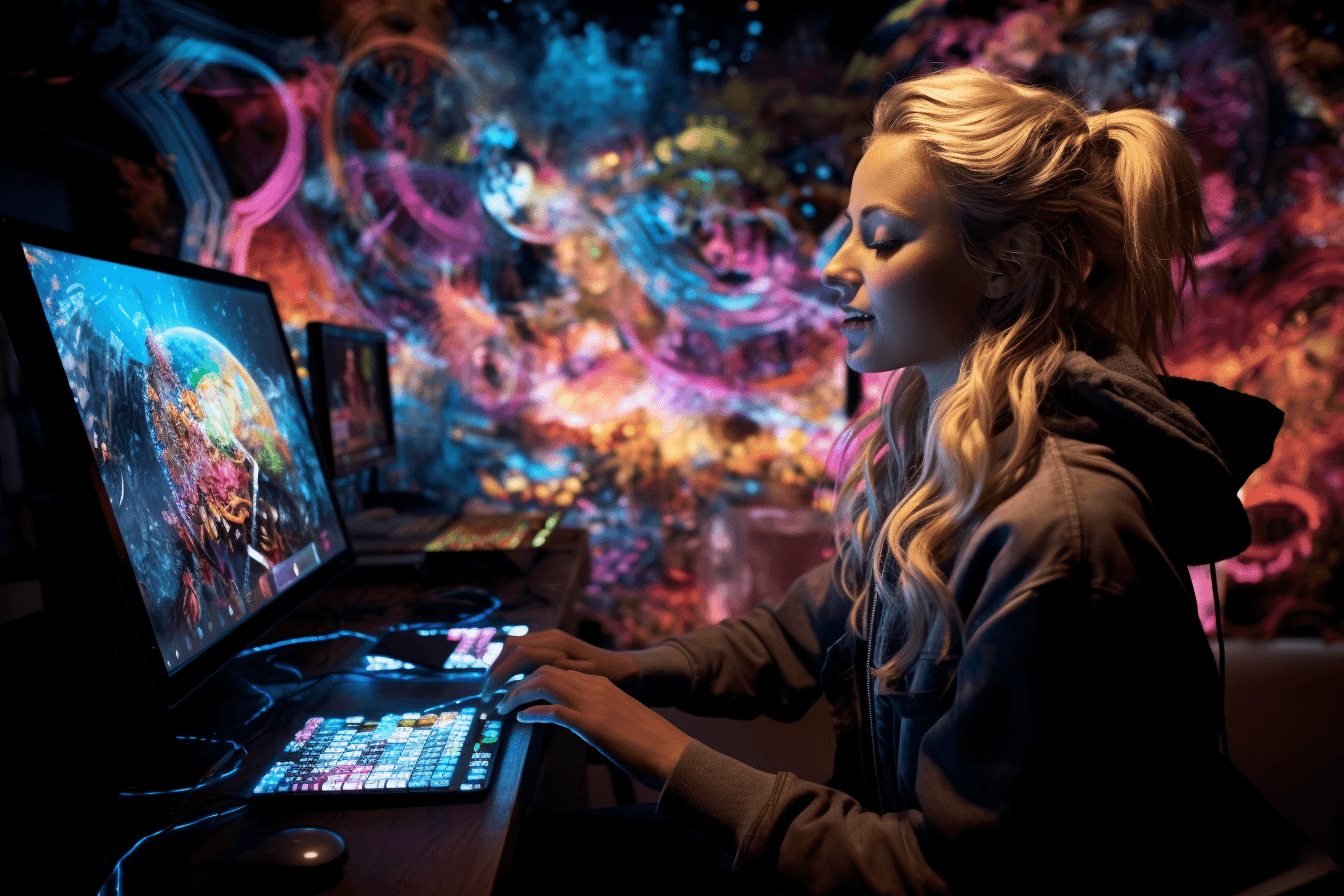
Implementing data-driven design strategies with Google
Ethical considerations for using AI in art and design
The ethical use of AI in design is a multifaceted consideration that balances innovation with responsibility. As AI becomes increasingly integrated into design processes, it’s imperative to ensure that these technologies are used in ways that are fair, transparent, and respect user privacy. This involves careful consideration of data sourcing and usage, ensuring that AI algorithms are free from biases that could perpetuate social inequalities or discrimination.
Moreover, respecting intellectual property rights and avoiding the unauthorized replication of human designers’ work is crucial. Additionally, transparency in AI-driven decisions and the processes behind them is essential to maintain trust and accountability.
Lastly, designers must consider the broader societal impacts of their AI-enabled creations, ensuring they contribute positively to society and do not exacerbate existing problems like job displacement or reduced accessibility for certain groups. Balancing these ethical considerations with the desire to push the boundaries of what’s possible in design is key to responsibly harnessing the power of AI.
Ready to dive into the world of AI-powered artistry? Check out our curated list of generative AI art tools and unleash your creativity like never before!
Summing up
In conclusion, Google Gemini is a powerful tool that can open up a world of possibilities for beginners in the fields of art and design. From its innovative image generation capabilities to its coding prowess, Gemini offers a unique blend of creativity and functionality. By incorporating these five ways into your artistic journey, you’ll find yourself pushing the boundaries of your imagination, connecting with like-minded creators, and producing stunning works of art that truly stand out.
So, whether you’re a budding artist looking for inspiration, a designer seeking to streamline your creative process, or simply someone who appreciates the beauty of visual art, Google Gemini is your gateway to a vibrant and dynamic world of artistic exploration. With Gemini by your side, there are no limits to what you can achieve in the realm of art and design. Happy creating!